What qualifies as microSD Express
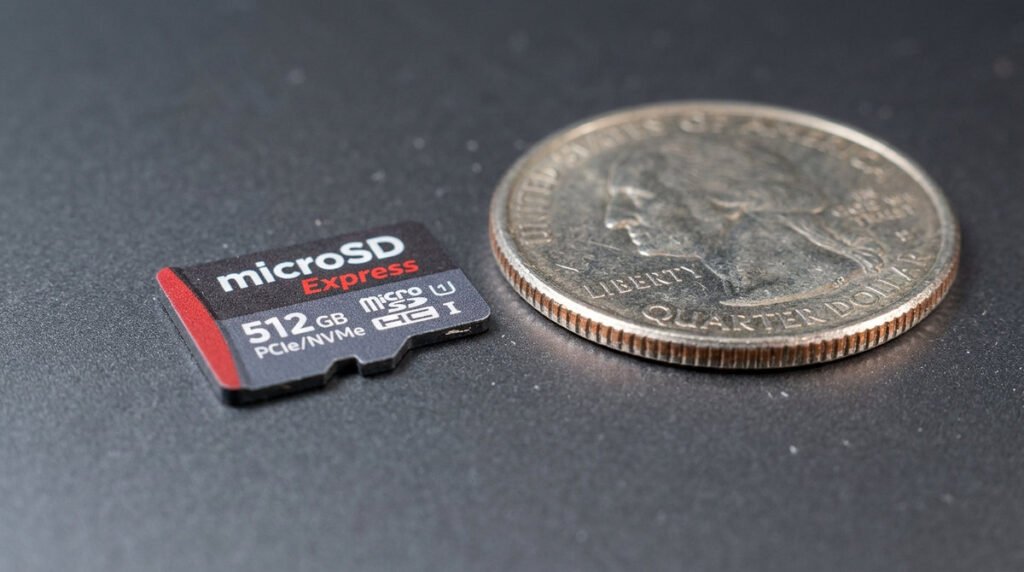
For game installations, Nintendo specifies microSD Express cards, not ordinary microSDXC cards. Its compatibility information also notes special handling for importing older Switch screenshots and videos, which should not be mistaken for general game-storage support. Compare usable capacity, manufacturer reliability and return policies before buying. If a seller advertises very high capacity at an unusually low price, authenticate the card rather than trusting packaging or read-speed numbers alone.
Capacity, authenticity and performance trade-offs
Nintendo Switch 2 uses microSD Express cards for expanded game storage. Retailers sometimes group ordinary microSDXC and microSD Express products together, even though the latter is the relevant standard for installed Switch 2 games. Verify the Express marking on the specific card, not only a high advertised read speed. Nintendo’s compatibility guidance also matters for capacity ceilings and setup. Cards sold on marketplaces at implausible discounts may be counterfeit or incorrectly labeled.
A practical buying decision
Capacity should match your library. Use the console’s Data Management information to see how large your common digital titles are, keep space for updates and consider how often you are comfortable redownloading. Buying only from reputable sellers with clear warranties can be more valuable than chasing a nominally faster but unsupported model. If an older card contains screenshots from a previous Switch, read Nintendo’s migration instructions before formatting it. A new memory card cannot replace a backup strategy for irreplaceable media.
Storage-card buying checklist
- The essential label: Look for the microSD Express specification instead of assuming a familiar microSDXC label is enough. Nintendo explicitly says Switch 2 uses microSD Express for game storage. A standard microSDXC card from an original Switch can import certain captured media but is not a substitute for an Express game-storage card.
- Capacity planning: Estimate installed game sizes, screenshots and how often you archive downloads. Nintendo lists support for compatible Express cards up to 2 TB. That is a compatibility ceiling, not a recommendation to buy the most expensive card; estimate the space required by the games you actually keep installed.
- Authenticity checks: Buy from reputable sellers and inspect packaging because misleading listings are common.
- Speed and marketing: Advertised peak rates are not guarantees of real game-loading results.
- Moving existing files: A regular microSD card from an original Switch is not interchangeable as installed Switch 2 game storage.
- Formatting and setup: Follow the console’s own prompts and avoid interrupting a storage operation.
- Buying for a family: Shared hardware can change the storage needs of multiple accounts.
- The sensible purchase: Choose a reliable Express card with enough room instead of treating the largest capacity as mandatory.